
Developers
3

Resend Onboarding Email
Resending an onboarding email to a recent or longstanding users is easy. Follow these steps.
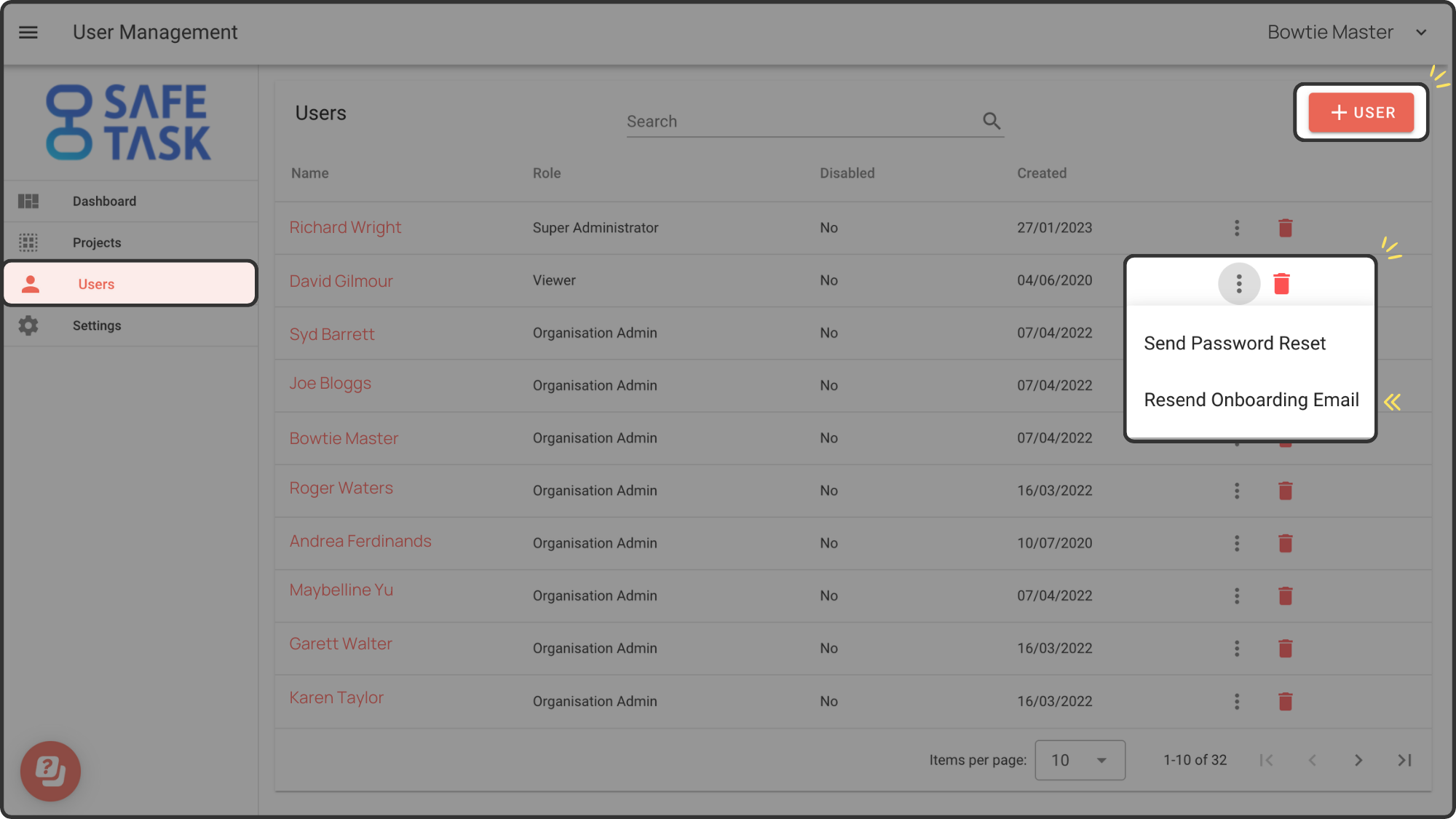
Step 1: Once logged into Safe Task head to the Users menu.
Step 2: Navigate to the User you wish to resend the onboarding email to and click on the ellipsis found on the action column. Click on Resend Onboarding Email.