
Developers

Collaboration Mode: Read only or Take control
Safe Task allows multiple users to edit the same diagram, however users cannot edit a diagram at the exact same time.
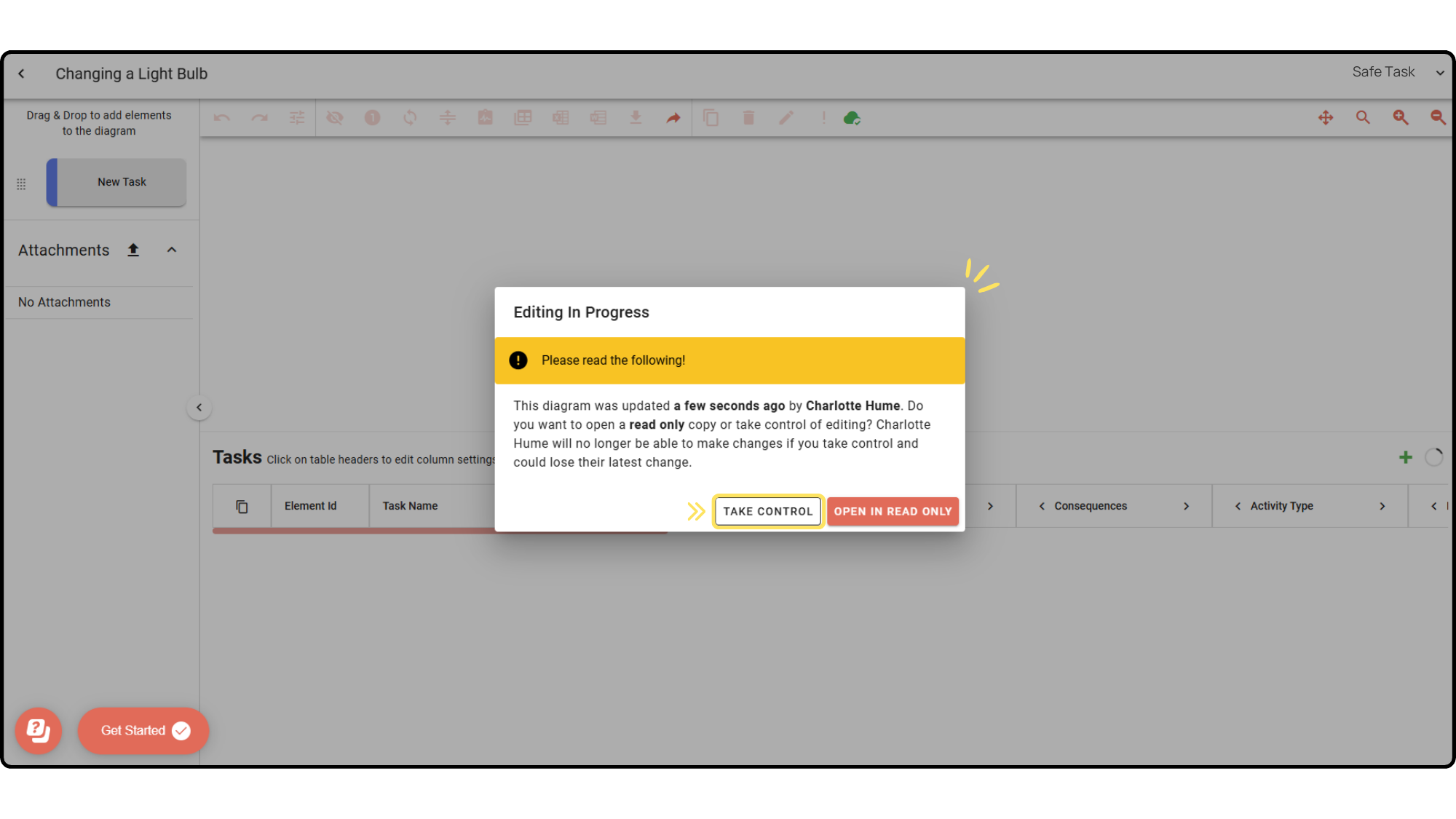
In the event two users access a project for editing at the same time, User 2 (the second user to access the diagram) will be notified that User 1 is currently editing the diagram. They will be asked if they would like to ‘take control’ of this user or enter a read only copy’.
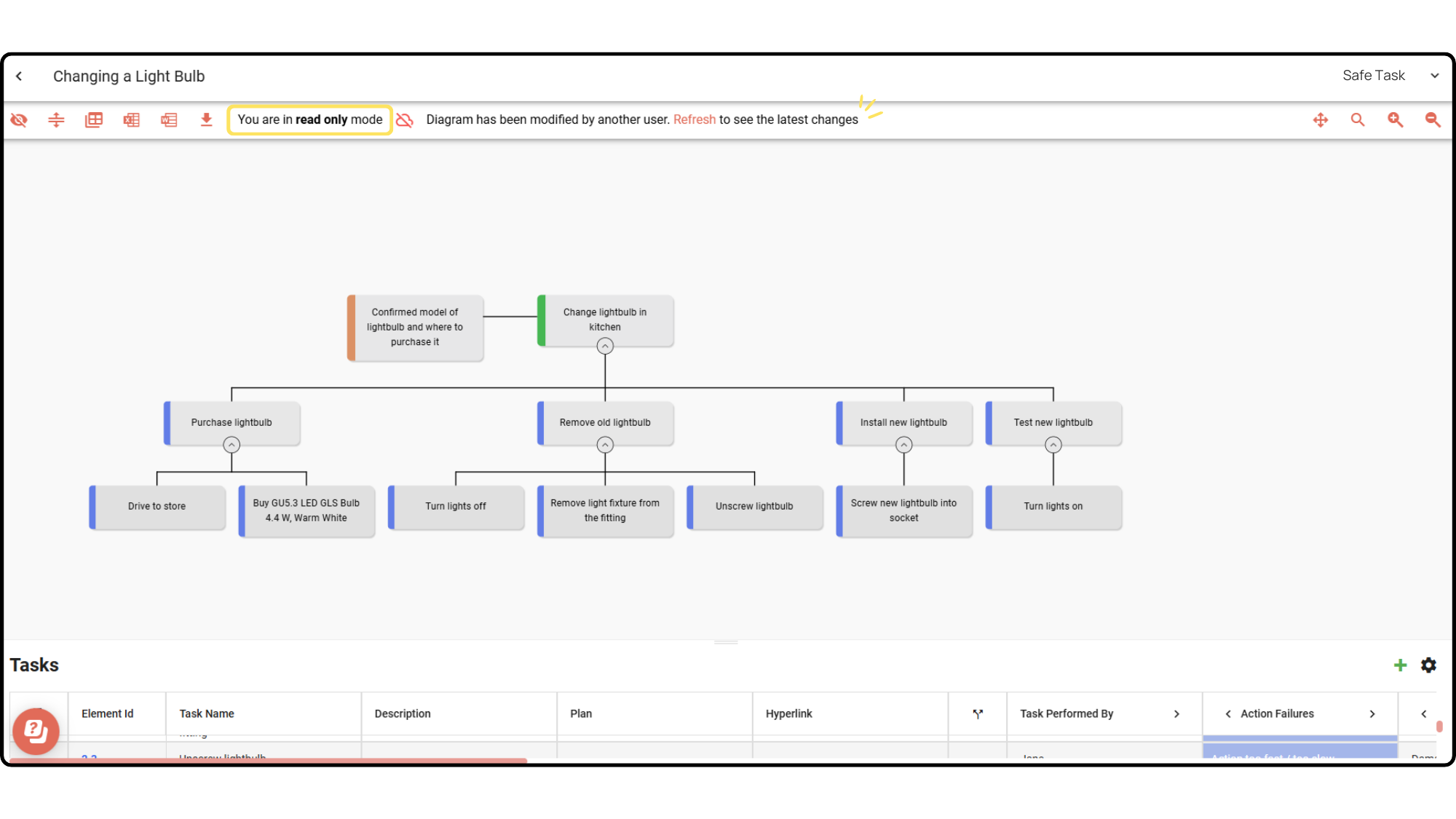
If User 2 wishes to take control, they can press the ‘take control’ option to enter the diagram and begin editing. Please note taking control will enter User 1 into a read only copy, until they refresh the page and retake control of the diagram through the pop-up warning message. Upon refreshing the page, the user will see the latest changes made.
*Important note: A user who has their editing control taken by another user may lose their most recent change to the diagram.
If another user is editing a diagram and you wish to open the same file for ‘read only’ (meaning you cannot make any changes), Choose one of the following steps:
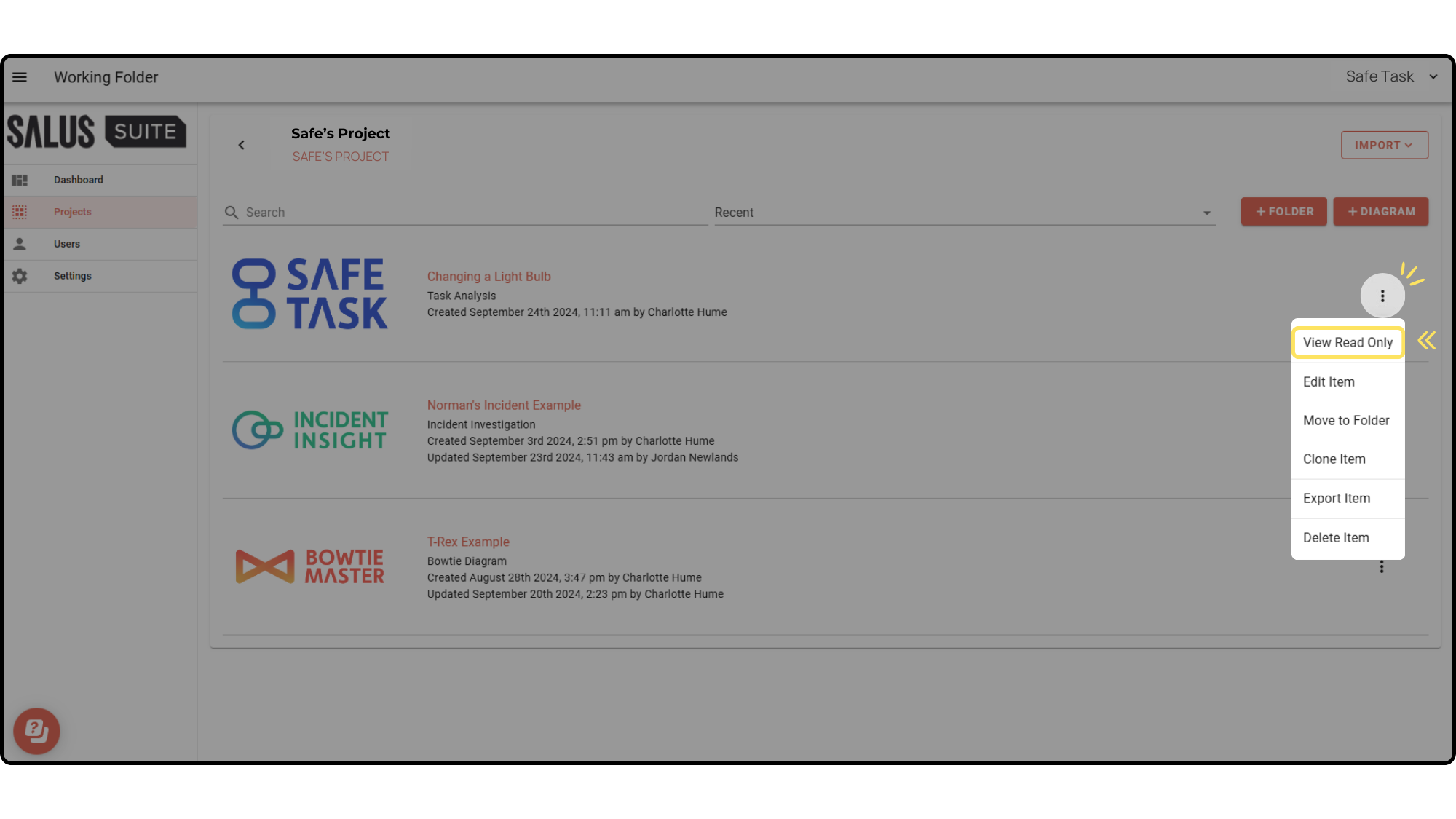
Option 1: In your projects folder, click on the ellipses (…) on a diagram and click ‘View Read Only’.
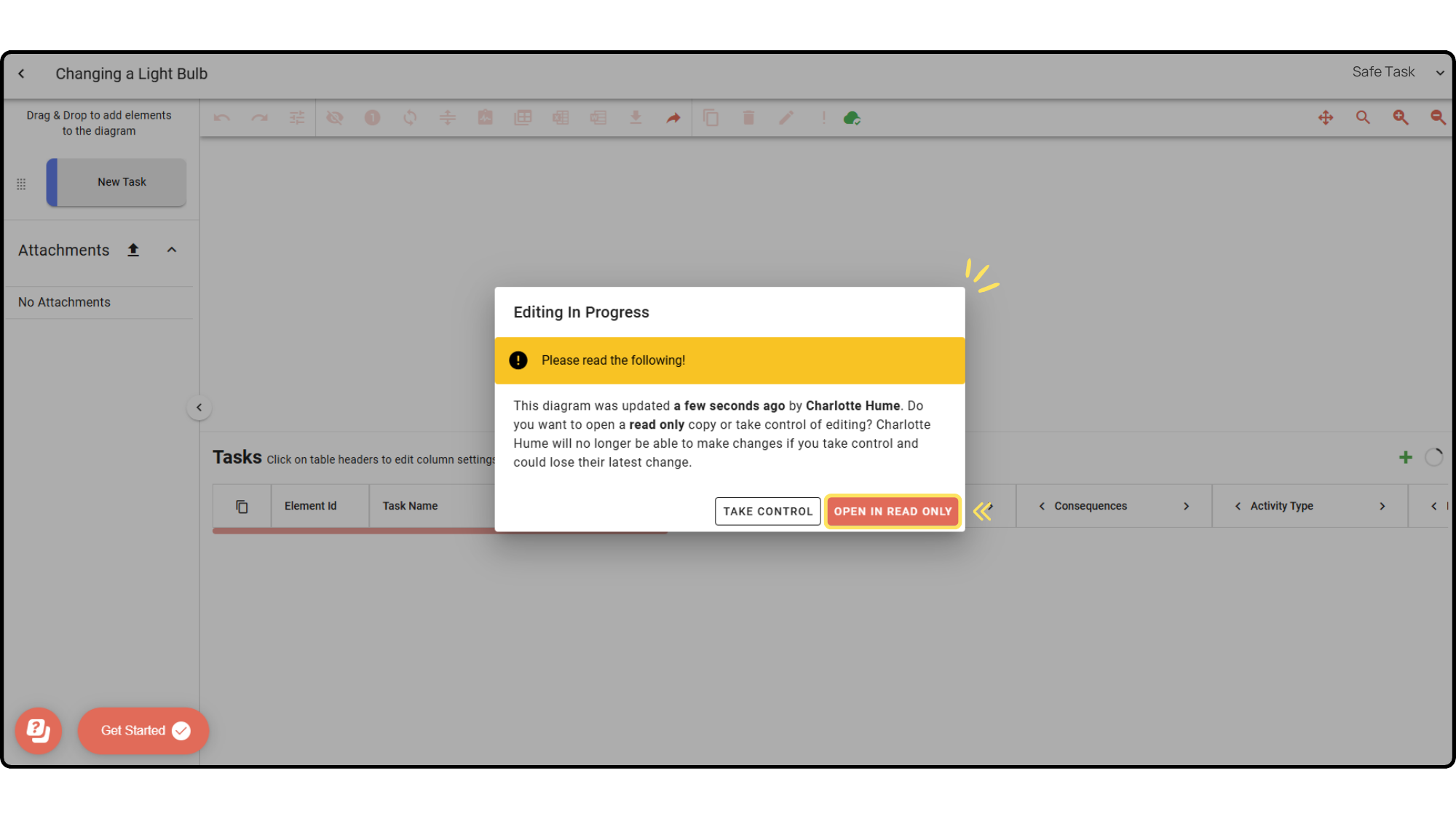
Option 2: In the diagram, a warning pop-up will appear if someone is currently editing the diagram. The pop-up will give you the option to enter a ‘Read Only’ copy. In the upper left corner of the Diagram Editor, you will see that you are in read only mode.
To take control of a diagram, follow these steps:
Taking control from read only mode:
If you were in read only mode and wish to take control of the diagram, refresh your browser, a warning pop-up will appear. Click ‘Take Control’ in the pop-up warning message, now you have full editing rights of the diagram.
Taking control while someone else is editing:
If someone else has been editing a diagram within the past hour, Upon accessing the diagram you will receive a pop-up warning message, click ‘Take Control’. You (User 2) will then be able to edit the diagram forcing the User 1 into Read Only mode. User 1 will no longer be able to make any change and may lose their latest change to the diagram.