

Developers

Resend Onboarding Email
An onboarding email is automatically sent when a new user is added to the system; however, users sometimes miss this email and need to have it resent. The onboarding email contains a welcome message and a link to log in / set a password.
Resending an onboarding email to a recent or longstanding user is easy – just follow the steps below.
NOTE: Only Organisation Admins can access the Users menu, and are therefore the only users who can complete this action.
Step 1: Once logged into Safe Task, head to the Users menu.
Step 2: Navigate to the User you wish to resend the onboarding email to and click on the ellipses (…) found in the action column. Click on Resend Onboarding Email. The user should then receive an email prompting them to reset their password. 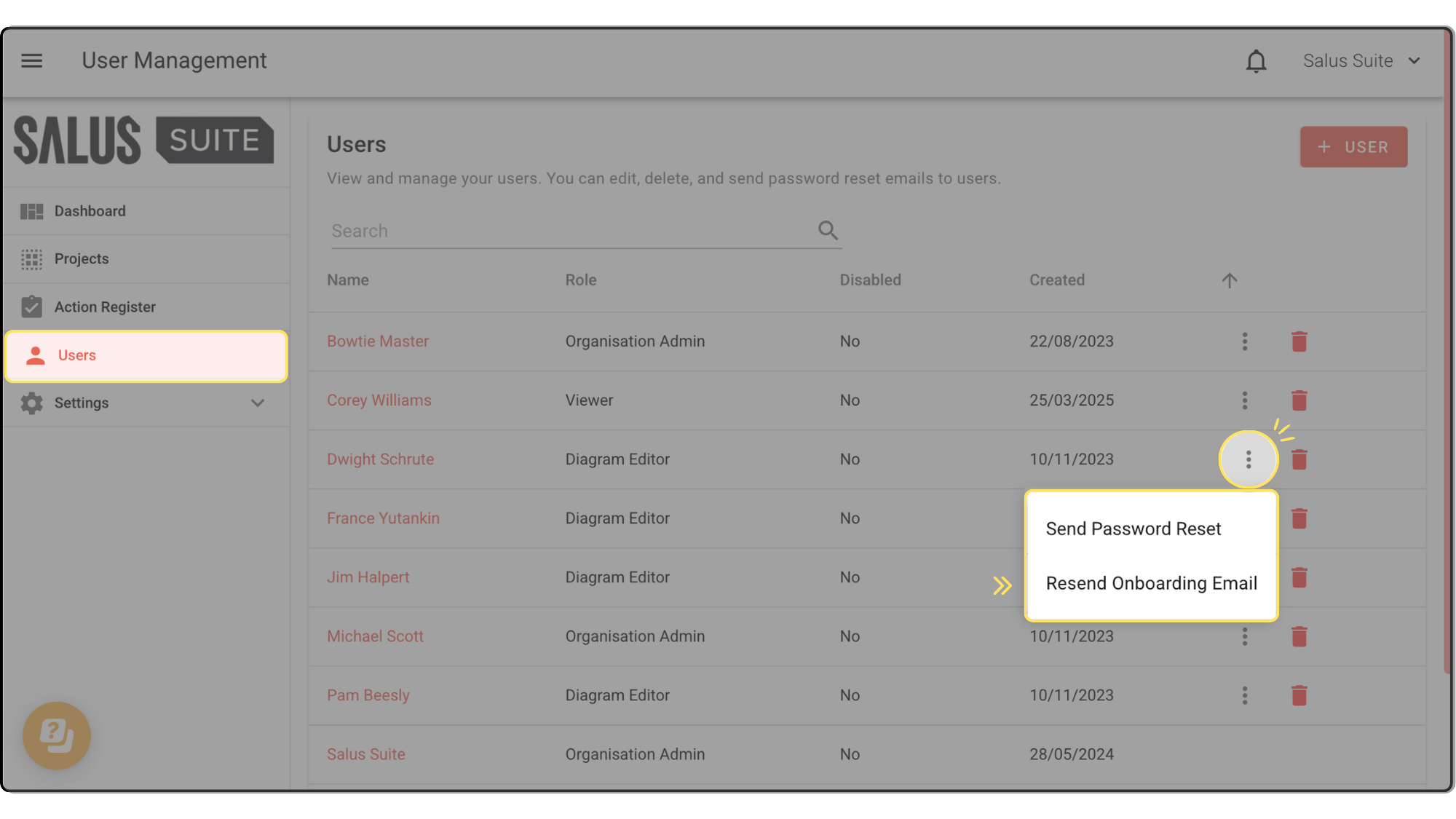
Safe Task tip: Occasionally, our emails might get lost in your junk folder. Check there if you don’t see your email. If you don’t receive the email, please send us a message at support@salus-suite.com.


