

Developers
3

Reset password
Step 1: To reset your password, head to Safe Task – Login and click on ‘Reset your password here’. 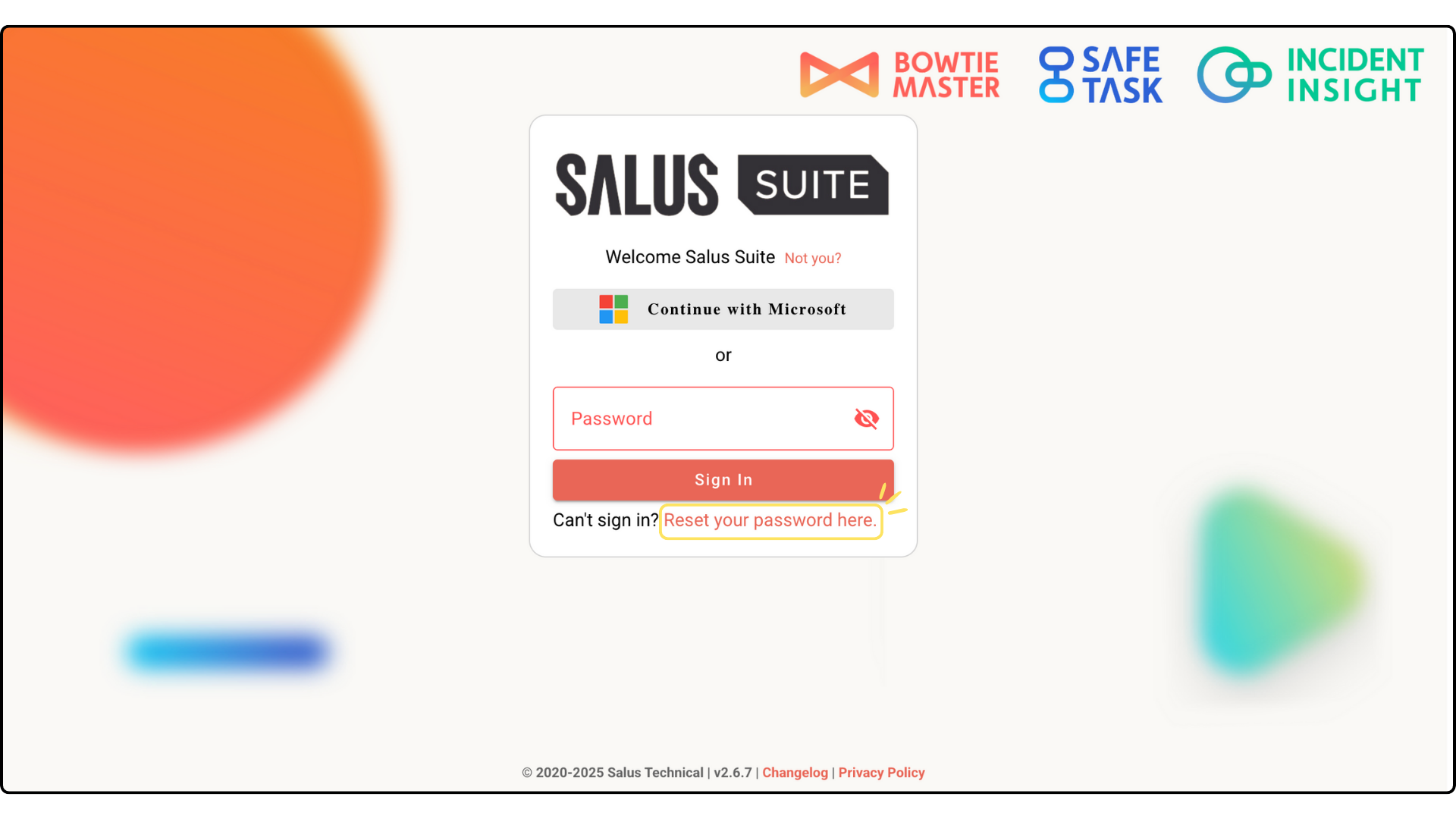
Step 2: Complete the Email Address field and click SUBMIT. 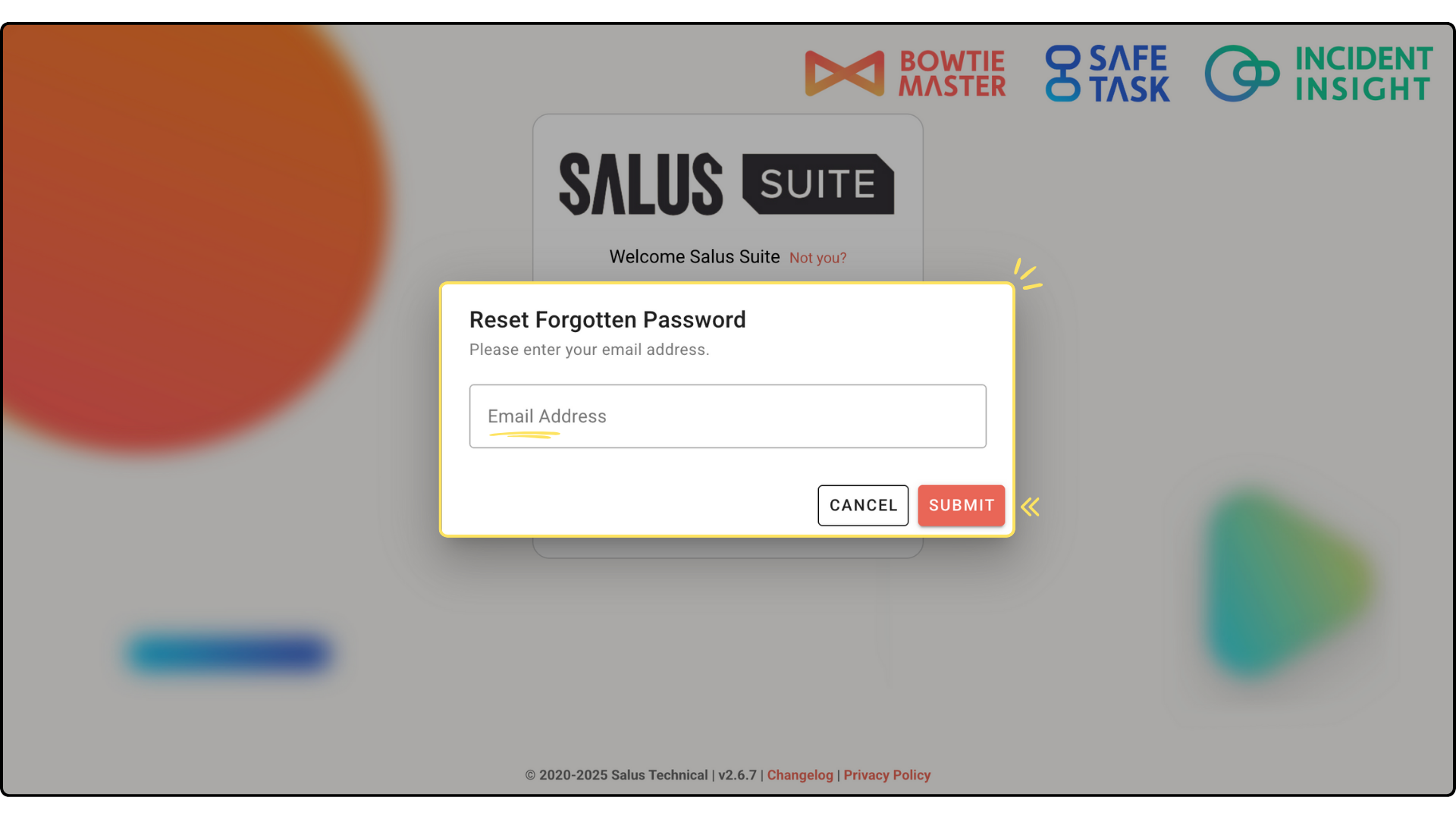
Step 3: Head to your email inbox. You should receive an email from support@salus-suite.com with a link to reset your password. Click on the link and follow the instructions to reset your password. 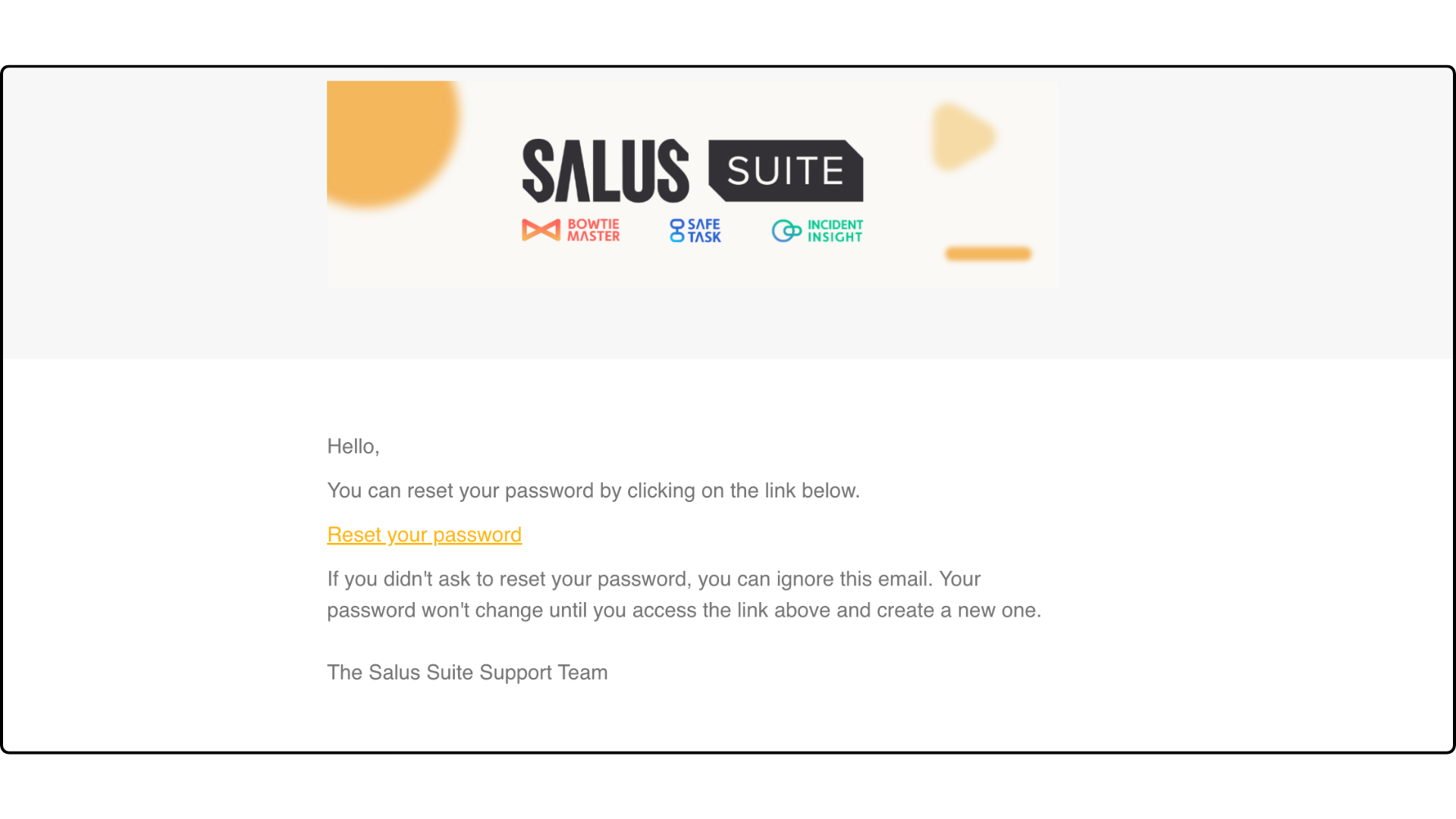 If you have not received this email, first check your junk folder. If you still have not received this email, get in touch.


