5 Reasons to Use Task Analysis to Achieve Your Goals

1: It’s flexible.
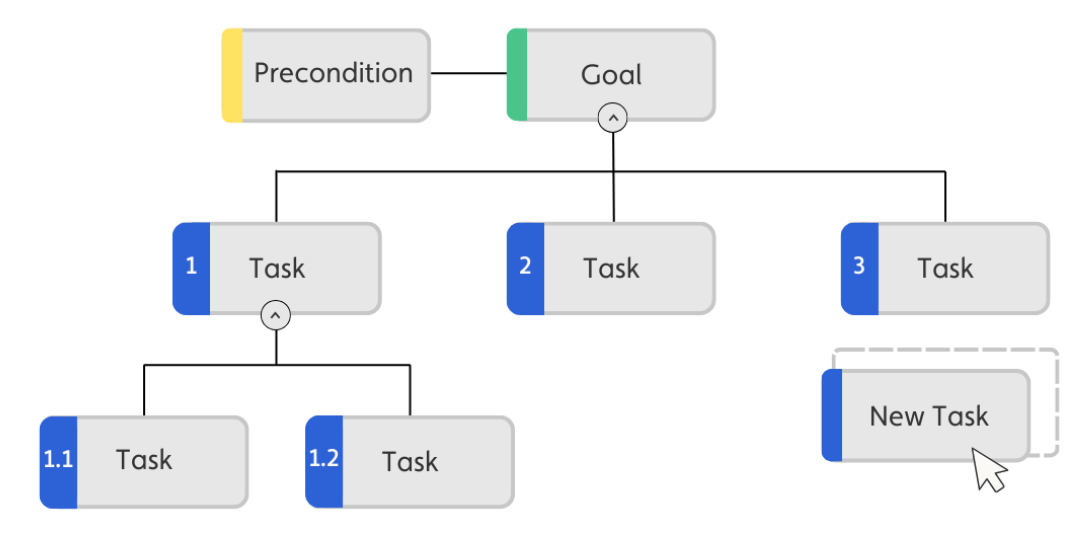
Create the way you want to – Safe Task drag & drop feature lets you create diagrams in minutes. Create your hierarchical tree by moving new tasks on to the diagram. With each new task, the task information is added to the table. Select a task and press tab to instantly add a subtask to the task. Duplicate branches of the tree using the Clone feature – drag the branch around the diagram to put it in the correct order.
2: Share with others.
With 4 ways to share your diagram, your team will always be up to date. Create a unique share link to use on Teams or SharePoint. When you update the diagram share link, your changes will be update on the link. Download an image of your diagram to use in presentations and documentation. Download the excel file of all the steps to communicate with your team in a recognisable format.
3: Visualise your process steps in a table or diagram.
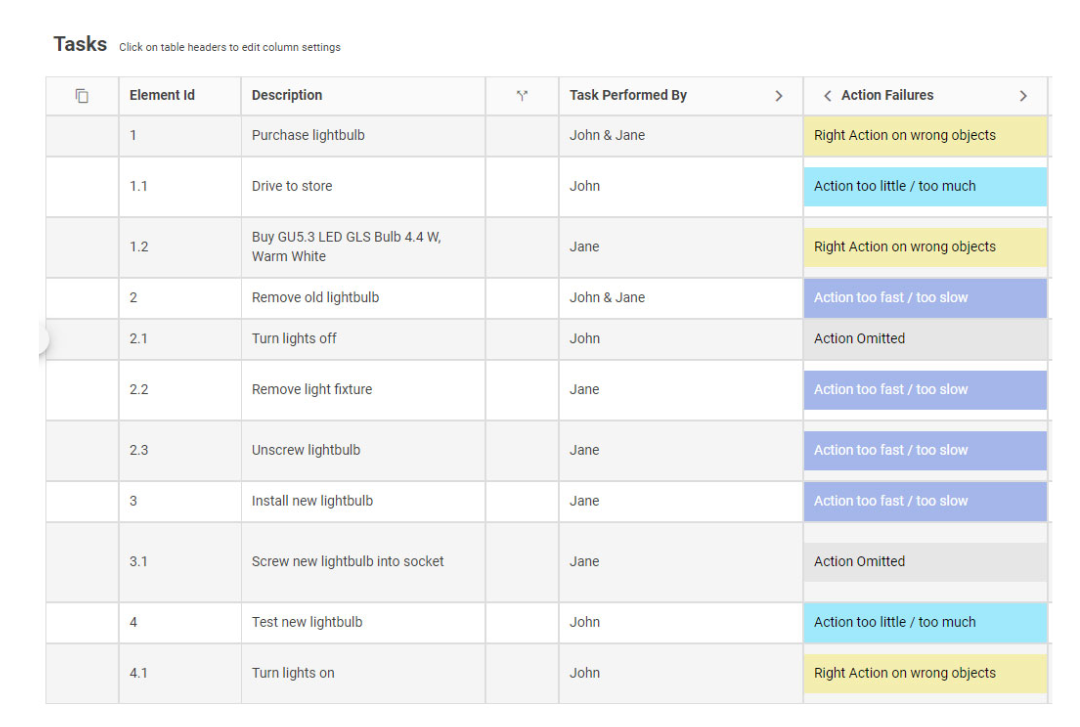
Safe Task allows you to create HTA diagrams with different layouts. You can choose between two different ways of visualising the tasks: either in a table or as a hierarchy of boxes connected by lines (a hierarchical tree). When working with the hierarchical tree, you can show or hide the task levels as necessary. The table view shows further information with columns of additional drop downs or additional text can be shown or hidden. Showing the steps with numbers makes it easier to see the sequence of tasks as they are moved around, this feature is optional on the hierarchical tree.
4: It’s an online tool. No installation required.
Access anywhere, collaborate with a remote team, save time without having to meet in person. The software is accessible and easy to use without training. Interactive drag & drop features allow any new ideas to be added, changes can be moved and accommodated quickly to continue the flow of your conversation. Protect your data with secure Single Sign On or Multi Factor Authentication. Hosted on the technology leader Microsoft Azure, the Safe Task working environment is secure. We look after both you and your privacy and are GDPR compliant.
5: Get connected with your team
With unlimited users and the ability to customise their level of access, users can access diagrams to view only, or full access to add and edit users and diagrams. With our API you can connect the whole business to give a detailed, customisable snapshot of Safe Task. Connect with PowerBI, SAP and Power Automate with a click of a button. Build the analytics most useful and influential to your business, and add to existing reports.