
What is Safe Task?

Hierarchical Task Analysis (HTA) describes and analyses the physical and mental activities required by a person(s) to achieve a particular goal. It involves the capturing of all relevant tasks and subtasks usually in a hierarchical fashion. Safe Task is an easy-to-use task management application that helps you define and visually depict your workflows clearly.
Summary:
- Describe a particular goal, and the steps taken to achieve it
- Visualise the steps by dragging & dropping on to the diagram
- Change and re-arrange to organise steps in the correct order
- Work in line with good practice by adding customisable details
Use Safe Task to find the potential for human failures
An HTA is a detailed description of how to achieve a specific goal. It captures all relevant tasks and subtasks in a hierarchical fashion, from the overarching goal down to the smallest subtask.
The purpose of HTA is to identify the different steps involved in performing a task, but also any associated mental activities (e.g., thinking) and physical activities (e.g., moving). HTA typically involves attending to the following:
- Process steps: A step is defined as something you do at one time (e.g., answer telephone calls), whereas an action refers to something you do repeatedly (e.g., answer telephone calls every day).
- Mental activities: Mental activities include thinking, planning, remembering, deciding, problem solving and so on. These are sometimes referred to as cognitive processes because they involve mental effort or cognition. For example, when we look at our watch while driving it signals us that we are running late for an appointment so we need to think of the fastest route to get us there on time.
- 3 ways to add new task to your Safe Task diagram
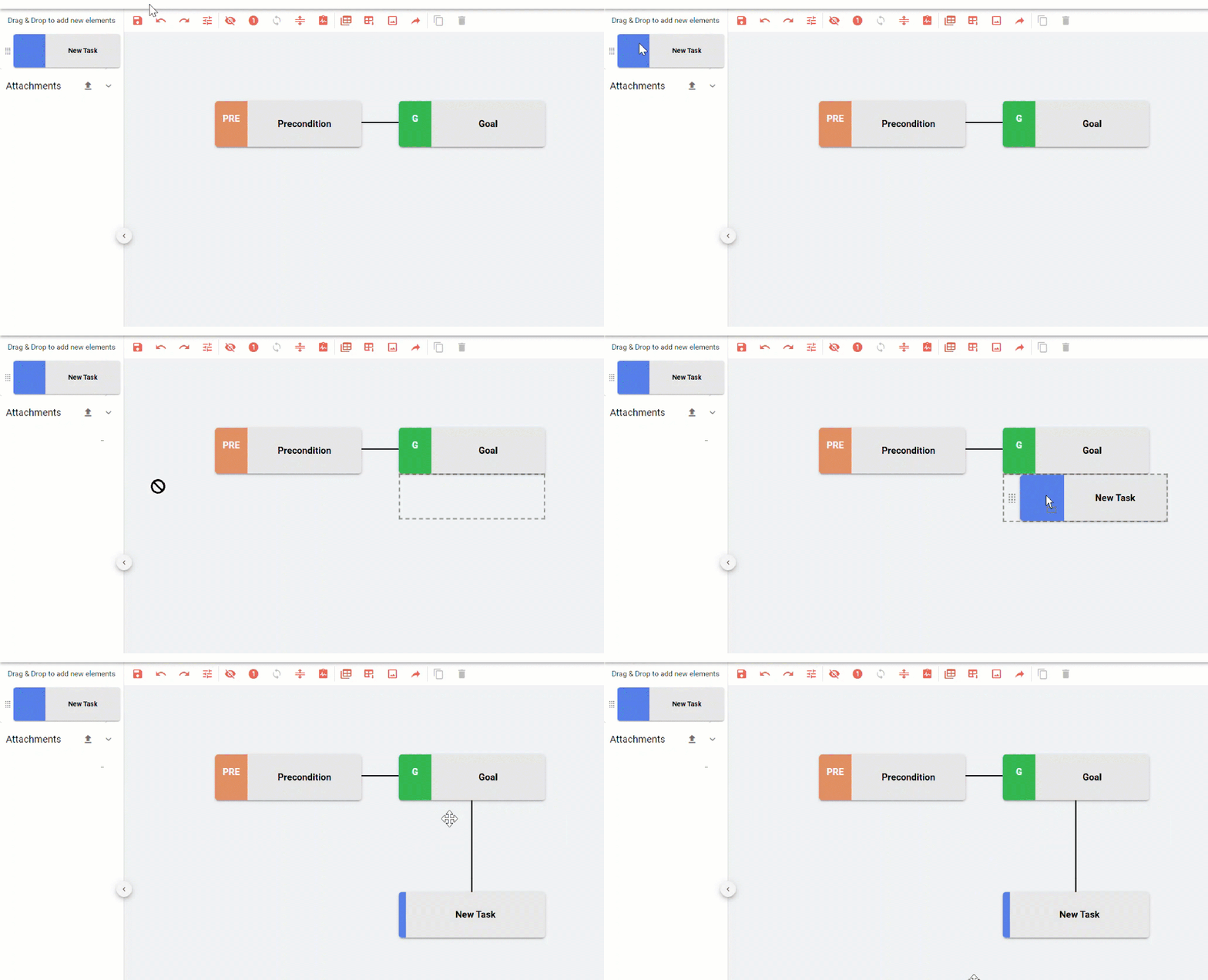
A flexible, drag and drop interface makes it easy to construct and understand task analysis models
Safe Task speeds up all the steps involved in creating a task analysis diagram from start to finish. With the flexible, drag and drop interface constructing the diagram takes minutes, instead of hours or days. Add, change, move and delete each task sequence makes creating task analysis diagrams quick and easy. You can replicate a whole series of tasks, and move them around the diagram by dragging the branch.
Do you often use the same framework? Save your diagram as a template to save yourself time.
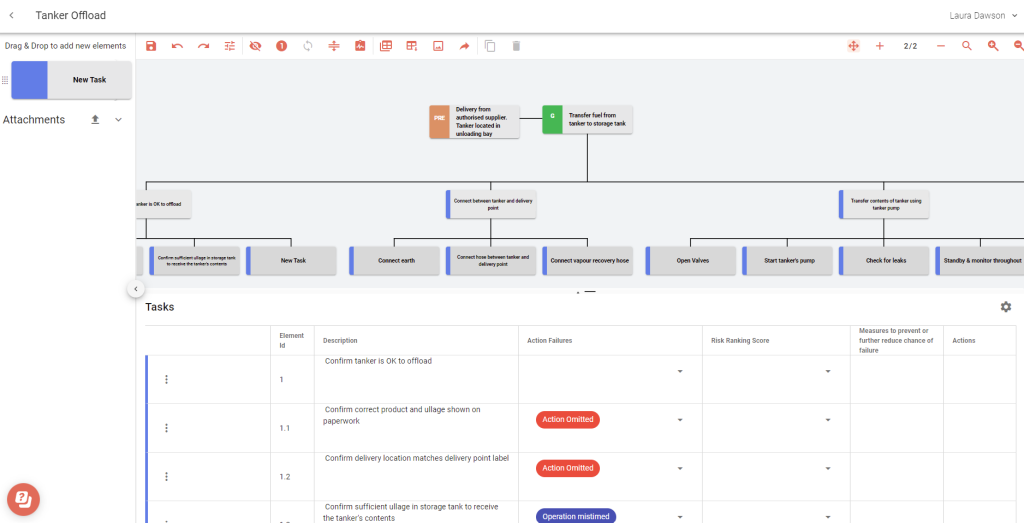
Visualise your process steps in a table or diagram
Safe Task allows you to create HTA diagrams with different layouts. You can choose between two different ways of visualising the tasks: either in a table or as a hierarchy of boxes connected by lines (a hierarchical tree). When working with the hierarchical tree, you can show or hide the task levels as necessary. The table view shows further information with drop downs or additional text can be shown or hidden. Showing the steps with numbers makes it easier to see the sequence of tasks as they are moved around, this feature is optional on the hierarchical tree.
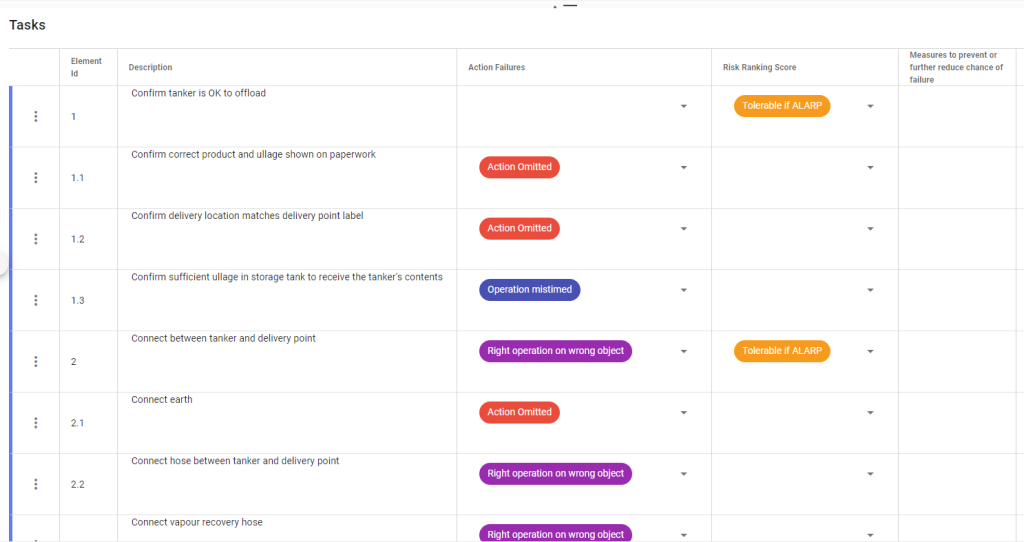
Customise to your heart’s content
We know everyone creates task analysis diagrams slightly differently… Safe Task is fully customisable to your industry or organisation – including terminology, colours, drop down list selection, hyperlinks, attachments, date requirements, with the choice of showing or hiding table columns.
Summary: Safe Task is helpful for describing and analysing the physical and mental activities
See the goal in clear, step-by-step items with additional information which is used to complete the task.