Add a New Task in 3 Steps
Safe Task is a flexible, drag and drop interface that makes it easy to understand each step in a procedure. Share with others via a web link or download as an image for adding to documents and presentations. Visualise your process steps in a table or diagram.
1. Drag and Drop
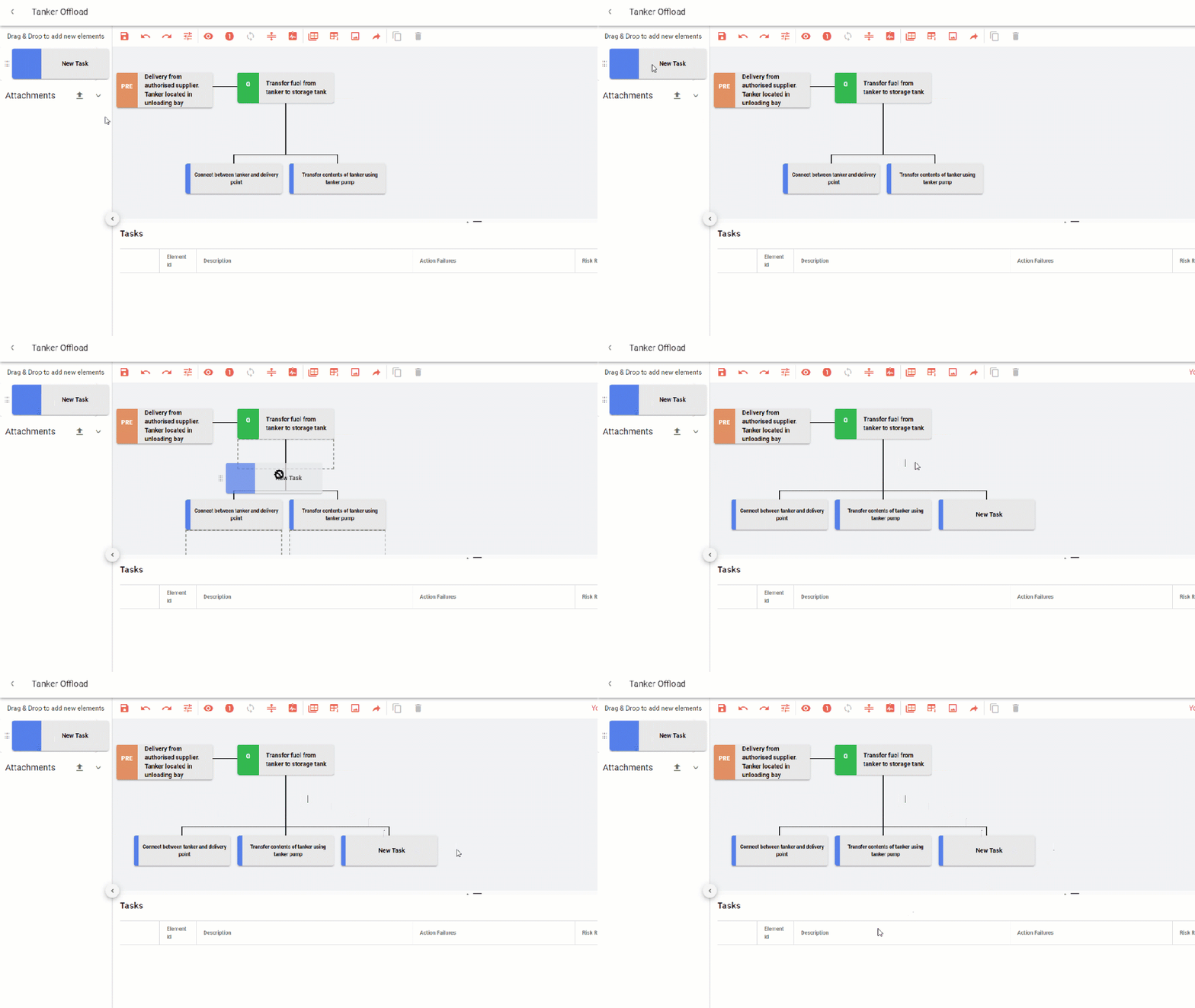
The easiest way to build your Safe Task diagram is to take the “New Task” from the left hand and drag it on to the main diagram. A grey drop zone show you where you can add the New Task.
You can continue to drag and drop under the goal or the other tasks on the diagram
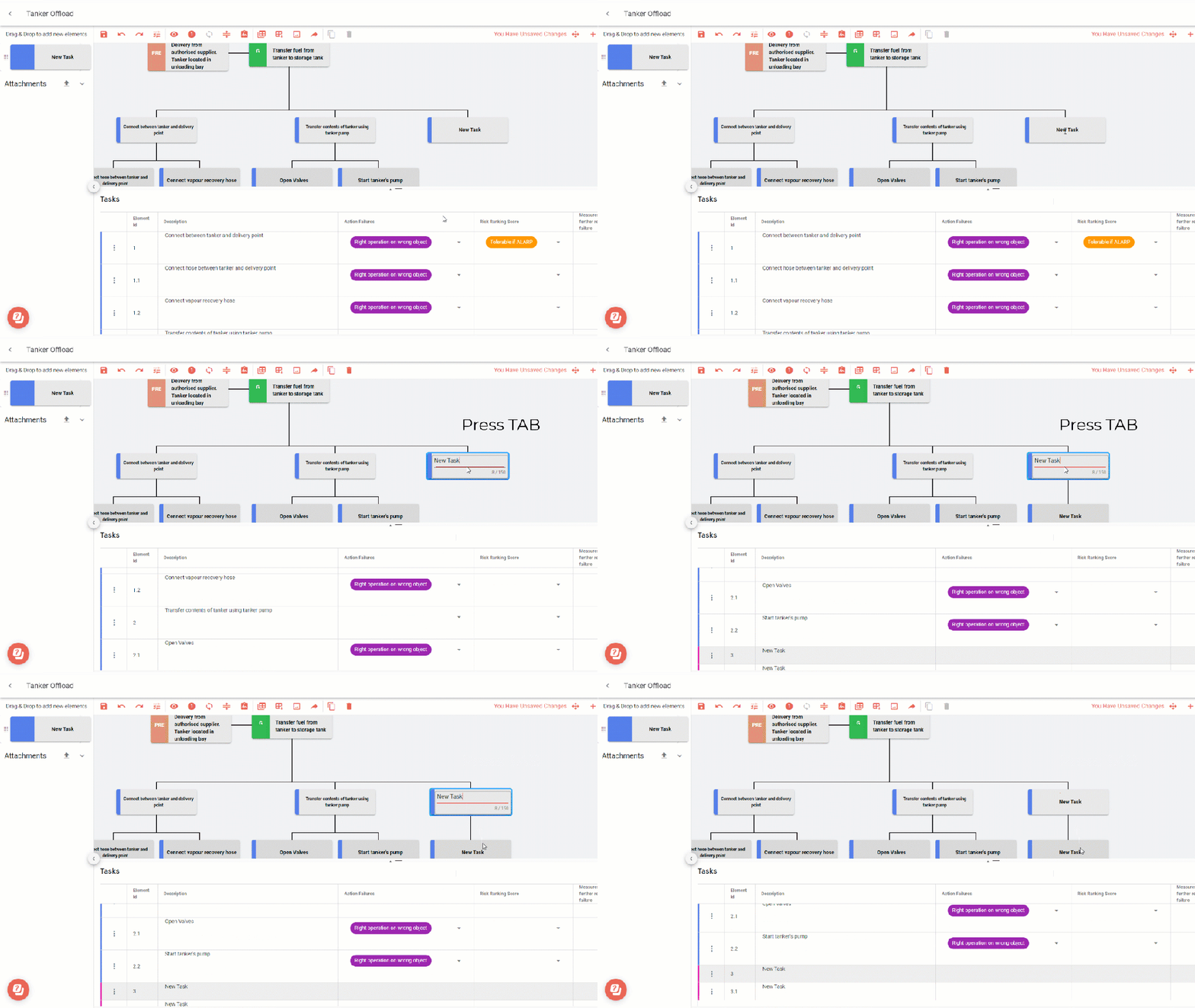
2. Use Tab to add a Subtask
Double click the Task you want to add a subtask to, press tab, and a new subtask will appear below the task on the diagram. Use Tab to build out more steps in your diagram
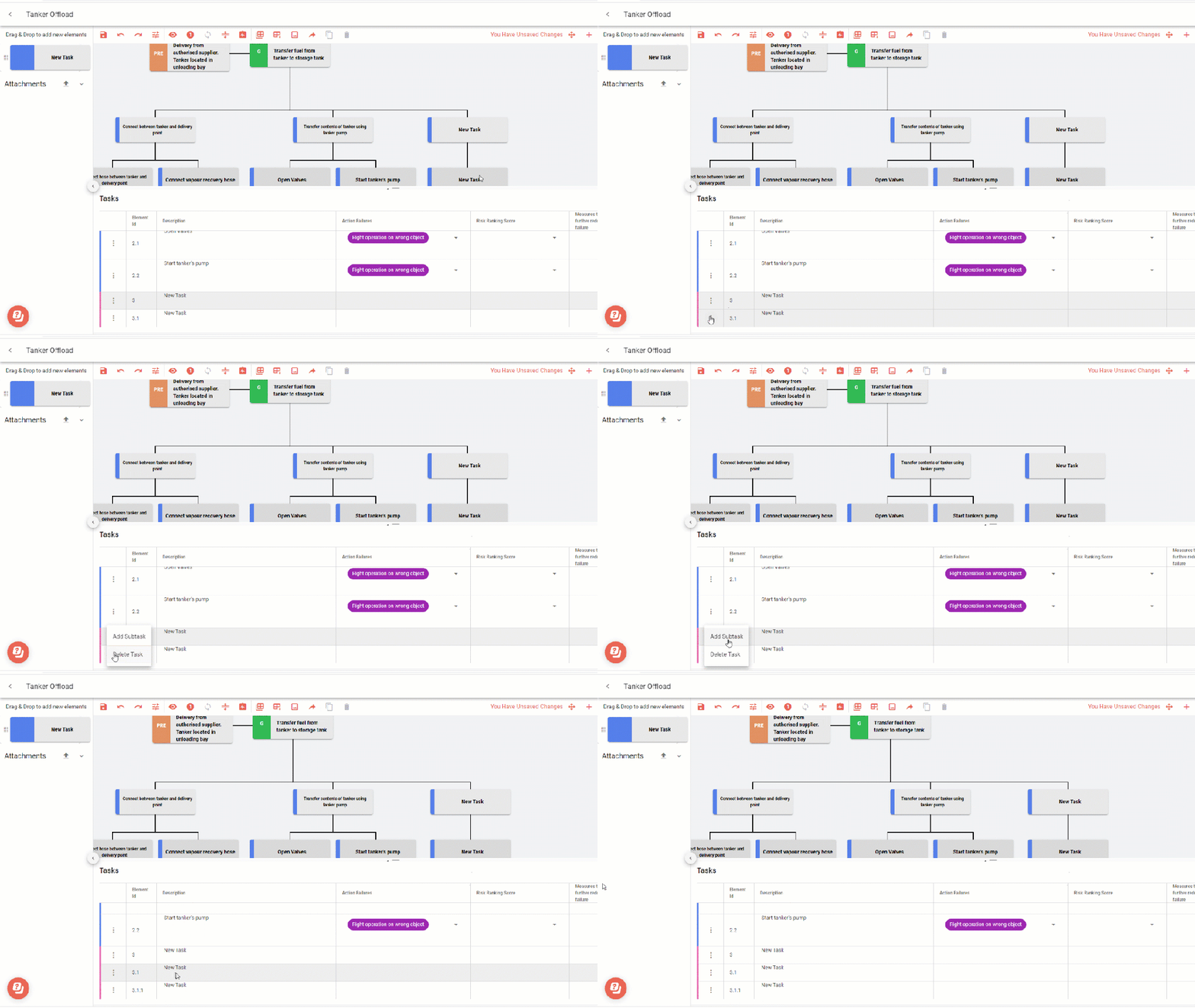
3. Add Subtask from the Table
Use the ellipse “…” to add a subtask whilst working in the table. This option add a subtask below the row you are working in. You can continue the process steps and adding more information.